Following Up on the NewSchools Venture Fund Summit (#nsvfsummit)

On Wednesday, I had the privilege of speaking as part of a panel on Teaching In The Digital Age with four other teachers from blended/hybrid learning environments. I felt that our panel discussion could’ve gone on much longer, since there was so much more to say. We barely touched upon the big issues that need to be ironed out (including the need for all these edtech companies to open their data so we can use it in a collective manner), the way a blended learning environment changes the day-to-day life of a teacher (in my case, discovering new tools and applications and testing them before implementing them in the classroom, being able to work with more small groups – which while amazingly powerful, is a lot more careful planning to do each day), and the balance of digital tools and downtime from tech (we try to utilize the right tool for the situation, which may be tech or may not be in that moment). There was a lot more on my mind from the panel and I’m sure it’ll come back to me sometime soon.

I got to talk people doing amazing things, from Daniel Yoo of Goalbook (used to work in our district and began Goalbook to fill a need in keeping educators, parents, and students in the loop around IEPs and personal learning plans) to Mayor of Sacramento, Kevin Johnson (who I worked with around the opening of PS7 and re-opening of Sac High, both schools which are performing significantly better than those before or around them). But I did have a big question I kept wondering about as I left the summit.

Yes, we’re making strides, and yes, there is a lot to overcome. But how many of these summits will we have before we really feel that we are getting a handle on these things? People move from venture to venture, but how many more until we begin to see a shift, like in The Tipping Point? I know next year I will likely be working in a new role in education, one that is not directly in the classroom with students anymore. How can I make sure my efforts are pushing us toward that tipping point?


Posted in Conferences, Forging My Path | Tagged , | Leave a comment

Blooms, Web 2.0, and My Classroom

This is a reflection for the LEC course I’m taking online. The prompt for this week:

Reflect upon what an activity in your classroom might look like using one or more of these Web 2.0 tools. Think about: what the experience looks like for students, types of outcomes students might have, how the outcome is tied to curriculum objectives, what Web 2.0 tools are aligned to the outcomes and lead to higher order thinking skills, and kinds of directions or guidelines you will provide in order to ensure success.

Write a post that briefly describes the activity you would create and how you might minimize possible challenges students and the teacher might have to address. Make sure that your activity is aligned to a learning objective and uses verbs from the top three levels of Bloom’s Taxonomy. In a later module, this activity may be one component of a larger unit you create.

Considering the unfortunate lack of emphasis on social studies and science, I’ve decided to focus this activity on California Social Studies Standard 2.3.1 “Explain how the United States and other countries make laws, carry out laws, determine whether laws have been violated, and punish wrongdoers.”

My idea is that my students would invent a law in a pair or team, along with planning what would happen to those who chose not to follow the law. They would have to pitch this law to their classmates through a VoiceThread. That means their original project could be images they draw on DabbleBoard or Google Drawings, videos from an iPod or webcam, or just images they find through Flickr Creative Commons searches.

Then, students could evaluate each law, give their criticism, and then everyone has one more chance to pitch their law before a whole voting goes into place. Perhaps only one law can be enacted, or perhaps a select number, but I think it could definitely be an interesting and engaging experience, giving them an insider’s understanding of developing and selecting laws.

Posted in Leading Edge Certification course | Tagged , , | 1 Comment

(Not) Moving to Online Teaching and Learning

As I reflect this week on the LEC course I’m taking (see last week’s post for more info), I’m realizing the benefits and challenges to teaching online. I can see many benefits for me as an instructor, especially since I feel that I am personally a lot more articulate in writing, though then I feel that the group that I am instructing would definitely shift from the primary to middle school or higher. That’s because I cannot foresee being able to teach a group of second graders from a strictly online setting. There is too much need for movement, need for support, need for that bond between people interacting in the same physical space.

If I shifted into an online teaching setting, it would be a lot easier to let students slip through the cracks. Sure, I would see a red dot if they didn’t turn in an assignment, or might notice if they are struggling to turn in all their assignments at the last moment (see: me), but it’s so much easier to focus on those who are posting all the questions and responses. You might send an email or even (gasp) call the student who is falling behind, but what can you really do? It took sitting down with a couple students in 4th grade for about 2 hours after school with their parents keeping them in the room, to get them past their anxiety about multiplication. For a student who would avoid it so much in person, what hope would I have to reach them online? That is one of the many reasons I don’t think I would move into a solely online environment. When you’re working students who need additional support, I think the in-person approach is needed even more, although it definitely can (and should) be connected with some online learning as well.

Posted in Leading Edge Certification course | Tagged , | Leave a comment

A New Adventure

Thanks to a good friend, Alice Keeler, being in Europe a little longer than planned, I began a journey on Wednesday that I did not expect. I hear myself saying thanks to Alice a lot recently. This time it happens to be because she was not able to be somewhere, but usually these thanks are for her showing how amazing something is (smart car), suggesting a #coffeecue nearby me and making it happen, or just having her children create Weebly sites to remove the ads from the wedding website for Jenna and myself.

I am taking her place in an online Leading Edge Certification course which began on Wednesday, right smack-dab in the middle of what we had thought was going to be a relaxing spring break. (Wedding planning can sometimes take the ‘relaxing’ out of it.)

Anyway, I’m meant to reflect on what I look to get out of this certification course. More specifically, my “highest priority learning goal”. After taking the Foothill College Online Readiness assessment, I found that although I’d barely taken a course online (I say this knowing that some of my college courses had an online component, but they were still mostly in-person classes) I am pretty well suited for it. Except for one thing. When you’re in an online environment, there’s no real physical reminder of the timing and deadlines. Yes, there’s a calendar on the LMS, but honestly, it’s taken me years to be comfortable with an online calendar. To be more specific, it’s taken Siri and a fully integrated iCal/Google calendar collaboration to make my online calendar work.

In other words, my goal is to learn how to raise my own accountability for the online course I’m taking. One way is through the actual people I know who are in the course, including Mike Lawrence and Burt Lo. Because I know them and they know me, we can keep each other accountable for the work. I know if I’d been in the OC on Wednesday I would’ve met more people in the class and that would’ve made the work even more important, because then it’s not just you you’re working for, but a whole group of people.

I think that’s one thing I’ve already taken from this course. Any online course that really works has got to use the community within the class to make the work meaningful and valuable. The way to do that is not by just creating the products for yourself, but for the community as a whole… to share out those tools you’ve found and to reflect together in order to build deeper understandings than one would have alone.

By learning to raise my accountability and engagement level in this course, I hope I will be able to apply this to the courses I teach in the future, not only online, but also in-person.

Posted in Leading Edge Certification course | Tagged , | 5 Comments

Can I Get A Retweet?

It’s been two weeks since my birthday, a day that went much better than ever hoped. I spent the afternoon with friends and family at a nearby park, enjoying good food and company. The highlight of the picnic was a touch football game that featured too many bare feet and dressy shoes.

While the game was going, I had a social experiment running on Twitter. I had just read Twitter correspondence becoming the autograph of the 21st century thanks to a tweet from @larryferlazzo. I decided my birthday was the perfect occasion to ask for a retweet. But rather than just ask for a RT, I asked for a picture of that celebrity holding their favorite book. I asked nearly 40 celebrities on twitter, ranging from children’s book authors to tv stars to athletes, expecting perhaps one reply (but hoping for more).

Turns out, I got a few responses, mostly from the education folks. Each one made my day a little brighter, but that wasn’t the end of the story.

EdTech Hulk and Michele Dufresne were both nice birthday greetings to receive, especially since my teaching colleagues and I love the Bella And Rosie books. Candice Wiggins even replied with the name of her favorite book, Ender’s Game. I’ve read her tweets about it before, but perhaps I’ll have to check it out now that it came in a birthday greeting.

Now, Peter H Reynolds. He went above and beyond. I’ve heard about his kindness before, I’ve met him in person and had a great conversation, but I definitely did not expect an offer of an original piece of art. But, who am I to turn down my class’s favorite author’s offer? I, of course, obliged and continued on the week, off to the annual CUE Conference and forgetting about the offer. Seriously, who would expect for something like that to actually happen?

Well, I came home from CUE (another post in itself) and apparently the woman who delivers my mail didn’t realize what was in the mail, because everything was a bit crammed in the tiny box, but I pulled it out and discovered…

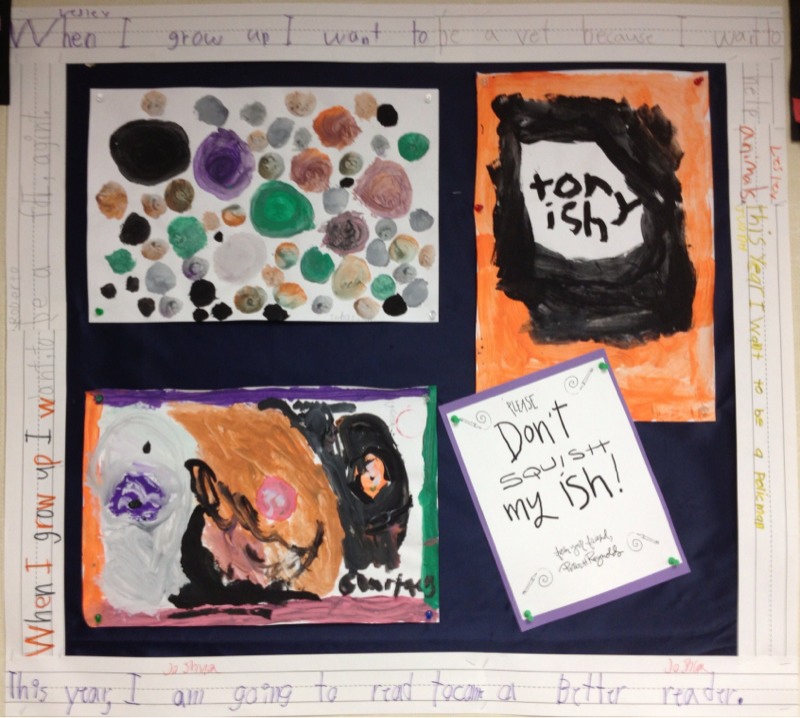
…one of the best birthday cards I’ve ever seen! Relating back to my original tweet, I have to believe that paper in the character’s hand must be the beginning of his own book, which of course would be anyone’s favorite book. This card is going to sit nicely next to our The Dot-inspired art.

Thank you, Peter, for everything you do to inspire us every day!

Posted in Forging My Path | Tagged , , , , , , | Leave a comment

Using Yelp in the Classroom

After a month of reading reviews from Yelp, Amazon, Spaghetti Book Club, and many other sources, my class has just begun to publish their own reviews. The very first review that was completed in our class was on The Fish Market, a restaurant in San Mateo. Rather than publish this review to a class site or hang up in our class, the student who wrote this review decided she wanted to publish it to Yelp, to help anyone who might be considering The Fish Market for dinner.

Check out her Yelp review here.

Posted in Classroom Excitement | Tagged , , | Leave a comment

MOUSE Squad Students Review Apple’s new iBooks Textbooks

Rather than muddy the waters with another adult’s opinion of Apple’s latest announcement, I thought I’d let the middle school students in Belle Haven’s MOUSE Squad share their opinions after an hour of trying out the free samples of the new textbooks in iBooks:

My favorite thing they shared was the part about liking taking the quizzes because it didn’t count toward their grade and they learned more.  I’m sure I’ll share my thoughts on another day, but until then, what do your students think of the new approach to textbooks?

[edit: I changed the video I’m linking to in order to allow you to hear the students’ voices better. Please share any feedback with me and I’ll work on it.]

Posted in MOUSE Squad | Tagged , | Leave a comment

MOUSE Squad running on all gears!

I know, it’s been 2 months. Since then, I should’ve shared about our Skype session with the band Alma Desnuda through Rock Our World. And how using the Doceri GoodPoint Stylus is going. And how Spotify has simplified and complicated music in my classroom. But this post is focused on MOUSE Squad.

For those of you who don’t know, MOUSE Squad is a student tech program whose goal is create student leaders who are adept at solving problems on teachers’ computers and supporting the tech staff in a school or district. In some schools this squad is during school, in some it’s after school. For us, we meet for an hour after school twice a week (no, not during contract hours and no, I don’t receive any stipend/funds by leading this program) but usually we are so focused on our work that we will go beyond the scheduled hour.

Belle Haven has had a MOUSE Squad for about 4 years and has gone through many iterations. First, the open-to-all we-don’t-really-know-what-we’re-doing half year to start out. Students learned a lot and we had some good discussions, but we couldn’t really develop. Then we had a super-star group. I mean, we had a student who taught me about Edubuntu. They were four members strong. We missed them all when they went to high school the next year and we had to start all over.

But this group, who were new to computers last winter, remind me a lot of the SF Giants last year. While we struggled along last year, learning and relearning some of the basics, this rag-tag group really pulled everything together this fall when we needed them. They have shown us more than we could have expected. So much so that they won the national MOUSE Squad September MicroProject (link to the post here).

In order to recruit new members and win the MicroProject, the squad, all six of them, over the course of two weeks (most of it in one day), created GoAnimate videos (link), uploaded our old photos to Picasa (link) and videos to YouTube (link), created a Weebly connecting all of them together (link), and made posters (with a QR code link to one of the animations). It’s all detailed out on our MOUSE Squad blog (link).

If you didn’t take the time to check out all those links, I understand. They did a lot. And today they did even more. Today, we had our MOUSE Squad orientation for all prospective members and had more students than ever. Perhaps it was the posters. Perhaps it was the award-winning project the squad just completed. Perhaps it’s our partnership with Facebook. But I think it’s because of the excitement the current squad members show.

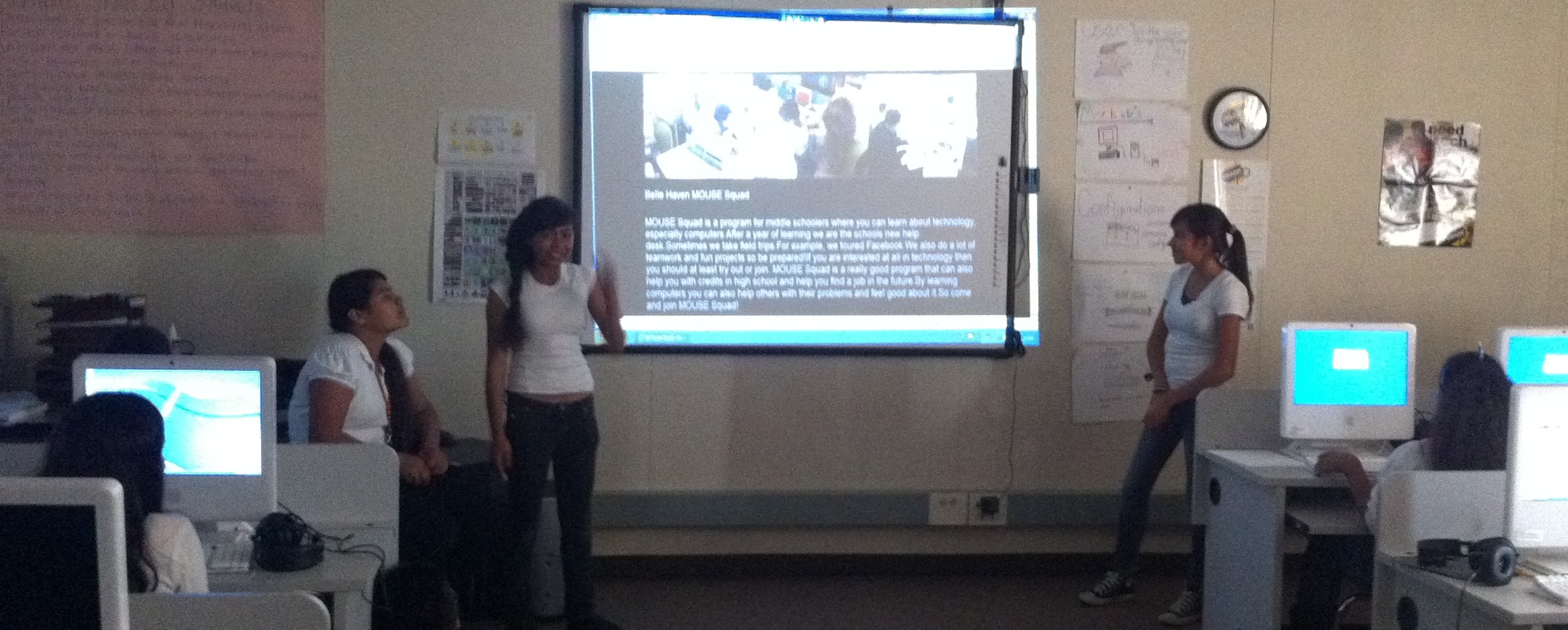
The current members got up there, in front of a lot of their peers, and shared about the great things about MOUSE Squad: the projects, the learning, the ability to help others, the training you have for future careers, the credit you might be able to work toward in high school, and so much more. They shared the site and videos they’ve created, and most of all, shared that excitement.

Of course, we, the adults, had to go up there and talk about the expectations and professionalism required, but the squad handled most of the job. The current squad members then each started to lead a group of newbies (or rookies?) in the October MicroProject, focused on making a spooky radio story (link).

The crazy thing about today? Not that the squad did such a fantastic job, but that we didn’t have enough chairs to seat everyone who was interested. How many classes or organizations are standing-room-only and have students lined up 30 minutes before the door opens?

Posted in MOUSE Squad | Tagged , , , , , , | 3 Comments

Whiteboard Desks: Sharing and Archiving

I couldn’t include everything in yesterday’s post on how we use whiteboard desks, so today’s post will focus on two key parts of the whiteboard desk project: Sharing with other students and archiving for portfolios and later use.

Sharing with others:

A student has written an incredible poem and I want to share it with the class. The student could read it, but then others wouldn’t be able to see the picture. I could take a photo and upload it, but that involves a lot of time, time that is valuable in the classroom. The solution? Right now that solution is eyeTransport (link) for iOS devices, as it’s FREE.

You need to have two iOS devices for this, which is what I am lucky enough to have through my own purchase (iPhone) and through a Silicon Valley CUE grant (iPad 2). I have the iPad 2 connected to the classroom LCD projector and carry the iPhone in my hand. Once I launch eyeTransport, I see a screen like the one below and connect to the iPad via Bluetooth.

eyeTransport connect screen

Once I’m connected, whatever the camera on my iPhone sees is what everyone see on the whiteboard. Below you will see the original image and what the students see through the iPad/projector.

The original image from the iPhone

Image received by iPad through eyeTransport

As you can see, the quality is not great, but it’s good enough to be able to read and see the broad strokes a whiteboard marker would make on the desk. Probably not good enough to share work done in light pencil, but with the thick whiteboard markers there is little worry about that. Now every child gets to see that wonderful poem without having to try to gather everyone around one table group (one of the worst ideas… I’d rather hold the desk up in front of the classroom and dump all the contents of the desk on the ground).

Archiving:

Now, how to archive? Easy enough to do with any sort of digital camera and Evernote. Easier with an Android or iOS device because you can upload directly to Evernote, but either way, pretty simple. If you don’t know what Evernote is or how it works, I’d highly recommend taking a look at their site (link). I take the photo of the student work with my iPhone, upload to Evernote, and tag with the student’s name and any other details I might want to remember about this photo. For the poem, I’d probably tag it with the name, title, and “poem”.

Evernote also has the ability to search a photo for text, so if I wanted to find an exemplar piece of student work, I could just type in the keywords. For instance, if I wanted to find a student who tried starting a summary with “First,” I could type that word into Evernote and it would provide those examples, such as the one below.

Evernote search for summaries beginning with”first”

I hope all of this is helpful for anyone thinking about implementing whiteboard desks or even just wondering how they can archive student work online. Good luck!

Posted in Classroom Excitement, Whiteboard Desks | Tagged , , | 2 Comments

Following up on Whiteboard Desks

I have had so much interest via Twitter and my blog about the whiteboard desks that I thought I would write a follow-up post before the school year starts up again. For those of you who aren’t familiar with the project, you can read my old post here.

To answer some of the questions I’ve been asked pretty often: I got the IdeaPaint through Donorschoose.org. It cost about $175 per 50 sq feet and in order to cover 20 desks, one horseshoe table, and one door it took 3 cans of IdeaPaint, but only one can of primer. It took me a half hour to prime the desks after sanding them and scraping off the tape, followed by an hour of wait time before applying the second coat of primer. After the second coat of primer had dried and I had sanded again, I mixed and applied the IdeaPaint. Finally, and this is the hardest part to do and plan for, I left the desks untouched for SEVEN DAYS.

Yes, it takes at least seven days for the paint to fully dry. If you use them early, the ink will not fully lift off the paint and it will be permanently inked. If you’re doing this during the year, you could paint a set of desks at a time, but then you have to plan where the students will work during that time and you have to think about how to ventilate the classroom during that week. It only smells odd for a couple days, but it still is not something you want to sit and breathe all day. Otherwise, I’d recommend doing this during summer or right before winter or spring break.

Now onto the desks themselves. How useful are they and what have we used them for?  If you look at these photos, you’ll see five ways we have used the desks/table/door in our classroom:

1) A note left for my class when I was out. When I knew I was going to be out for whatever reason, I would leave a note to my students on the door. That way I knew everyone would see it before they entered the class. No questions about what they were supposed to do or where I was. I also leave all my plans and assignments on the back table, with notes written on the table detailing when that part of the day was supposed to begin and where finished products go. Additionally, if I know ahead of time that someone from the district office is visiting my classroom, I will write a note to them on the door. They don’t usually talk to the teacher when they enter the classroom, so I want to make sure they understand what we are doing and how it connects to the standards and our curriculum.

2) Free poetry. As you can see, the desk allows even more freedom than a piece of paper when one considers the poetry a student can envision creating.

3) Following along with the lesson in class. While I’m on the board going through the Open Court “Word Knowledge” section, students can copy down the sentences and identify things on their own. While I’m not the biggest fan of some of the rote “Word Knowledge” work, students love working on the desks along with me and one would assume it cements the learning a little more than just sitting there and taking it in as the curriculum suggests.

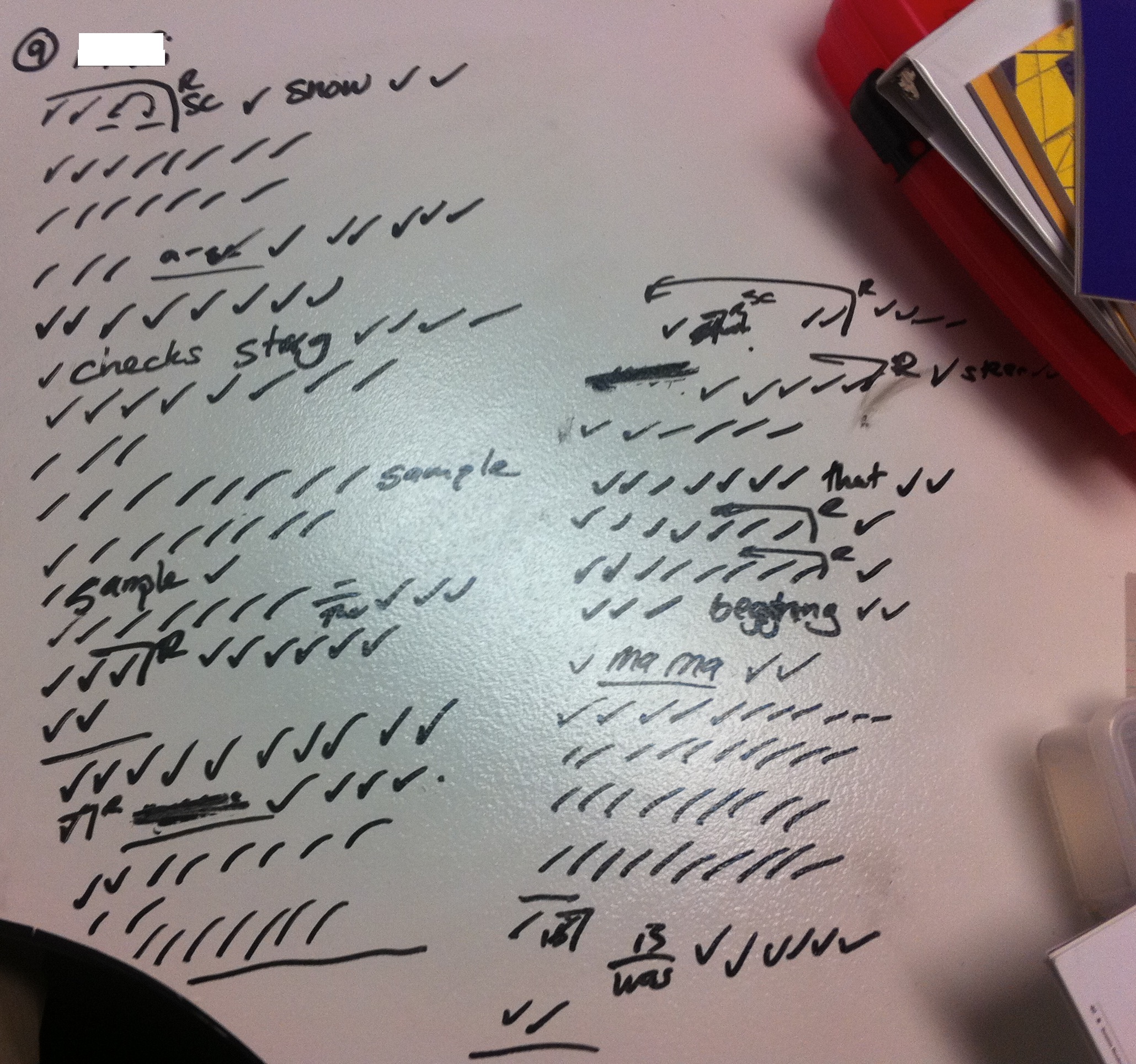
4) Running records. Rather than waste a whole bunch of paper taking running records on my students’ reading fluency, I can do it all on the table. I take a photo, save it to Evernote, and there I have a catalog of all my students’ running records with very little paper used.

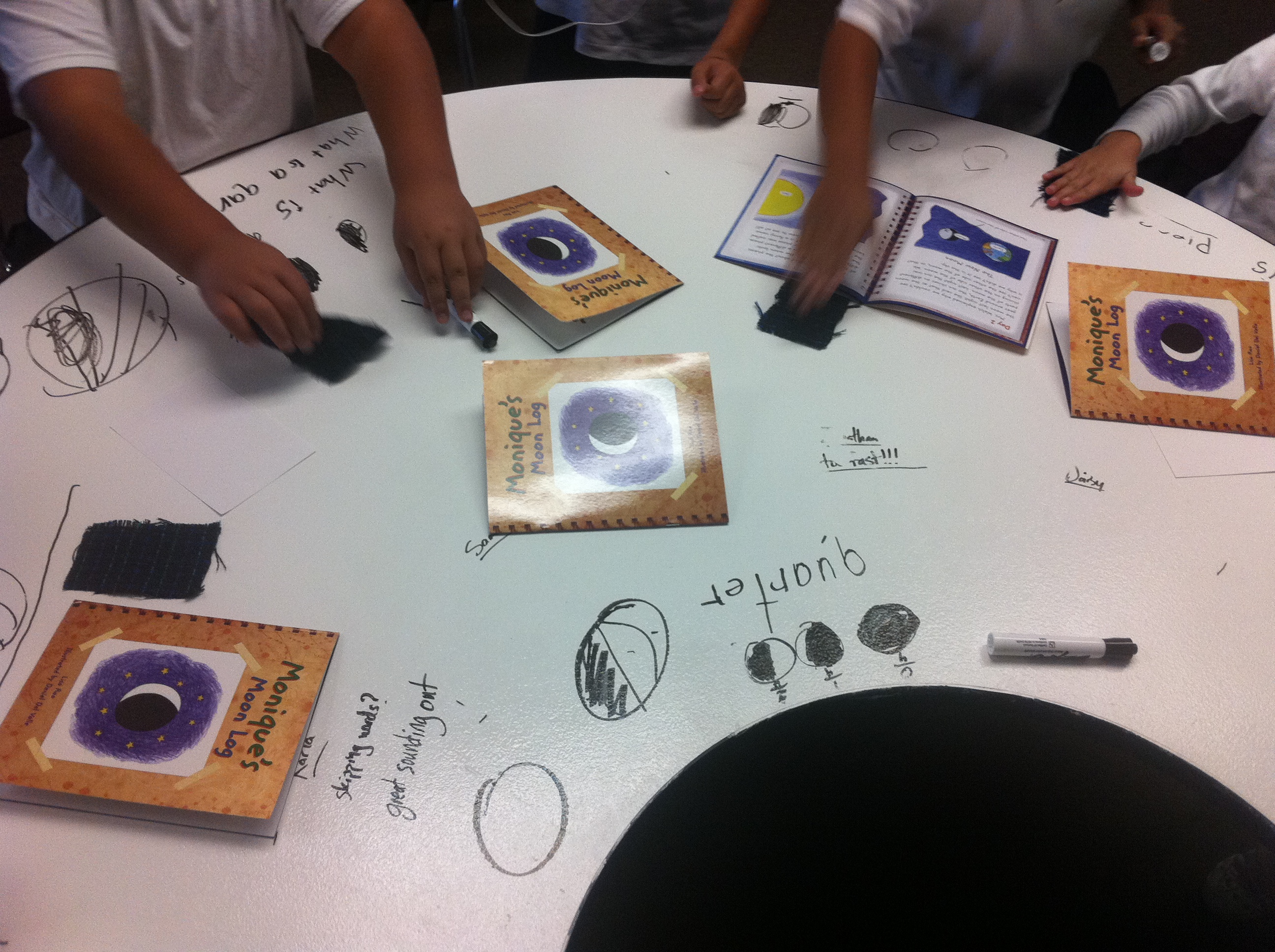
5) Active involvement in small group guided reading. I had always asked students to ask for help clarifying words or concepts they didn’t understand in a story. Yet I had one out of ten students willing to actually ask to clarify something. Once I asked them to write those words or questions on the table, participation rose dramatically. It went from one student in a group asking one question to each student asking numerous questions. Which shows how little students were understanding before, or at least how much more they feel comfortable asking for clarification with this simple change. As you can see, we also went into the cycle of a moon during this small group session and students were able to copy the cycle from the book as we discussed it in detail.

So how much has it increased learning and participation in my classroom? Much more than anything else I can point to. Enough that I am going to scrape 80 dollars (make that $70 thanks to a wonderful donor on Twitter – thanks @Matt_Arguello!) together to buy a smaller can of paint to apply to the four extra desks (for the four additional students) I will be adding to my classroom this fall. Well, $70 and the hours of sanding and painting. But it is well worth it.

Posted in Classroom Excitement, Whiteboard Desks | Tagged , | 21 Comments